What exactly is InfinitySky?
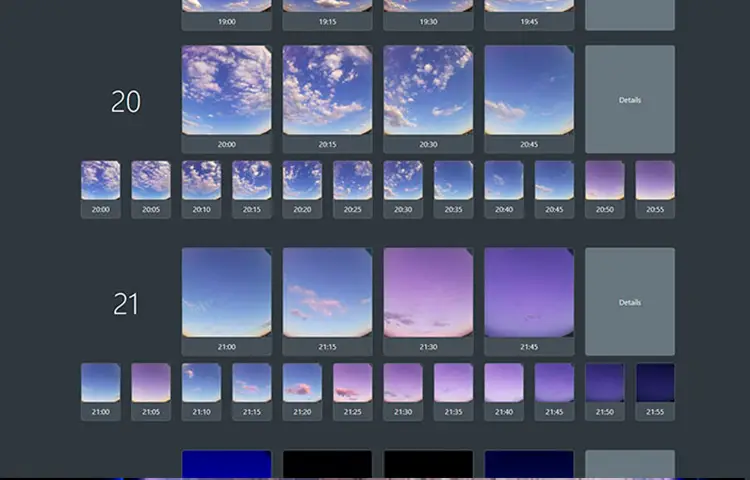
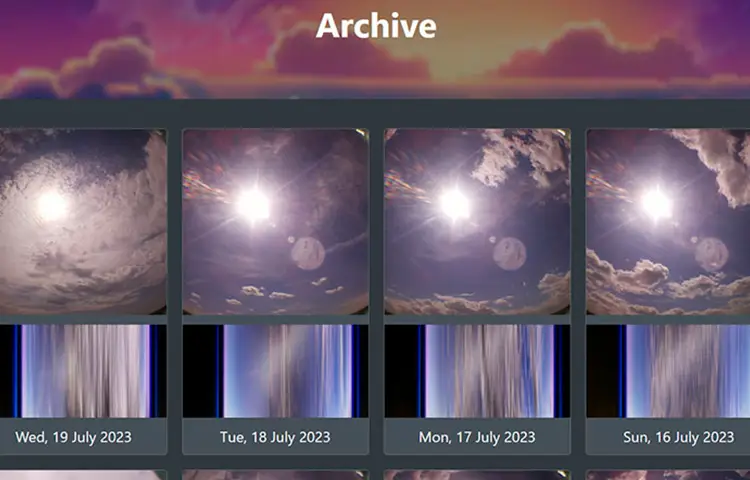
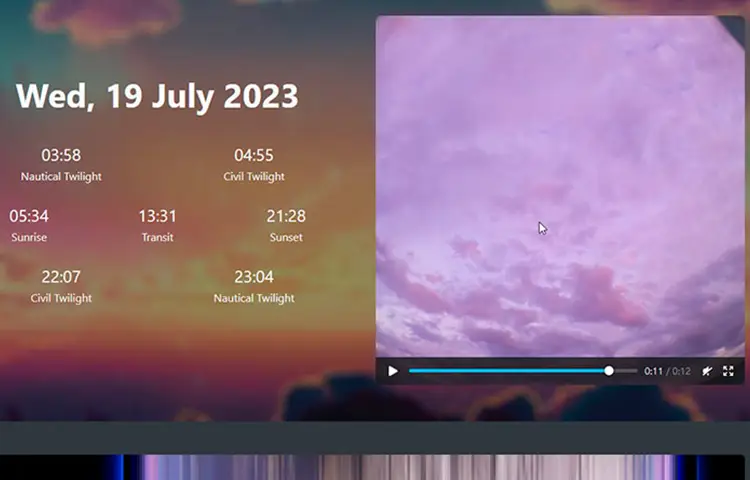
InfinitySky is a self-hosted open-source system for operating an all-sky camera. It coordinates scheduled image capture, local archiving, image processing, daily timelapse generation, keogram creation, configuration, and a local web interface. It is not a camera, weather station, commercial observatory appliance, cloud service, or complete astronomy-analysis platform by itself.
How mature is the project?
InfinitySky is an active early-stage project. Its central capture and processing workflow can run stably in the environment for which it has been developed, but the public project still requires broader testing, installation hardening, additional camera support, interface work, documentation, and compatibility improvements. It should not yet be treated as a finished plug-and-play product or as a guaranteed unattended observation platform for every Raspberry Pi and camera combination.
Is there a stable versioned release?
Not yet. The public GitHub repository currently provides the working source through its main branch, but no formal GitHub release has been published. Users should review the latest commits and issues before installing or updating rather than assuming that every checkout represents a fixed stable version.
Which Raspberry Pi models are supported?
The project documentation targets Raspberry Pi 3 and Raspberry Pi 4 systems. The published installation notes describe testing on a Raspberry Pi 3B+ running Raspberry Pi OS Lite based on Debian 11. Other models, operating-system versions, architectures, and package combinations may work, but should be treated as unverified until they have been tested and documented.
Which cameras are currently supported?
The documented implementation currently focuses on Raspberry Pi Camera Module V2 and V3 devices through libcamera. Broader libcamera compatibility, USB cameras, and astronomy cameras such as ZWO ASI models are development directions rather than a universal compatibility promise. Review the repository before purchasing hardware specifically for InfinitySky.
Does InfinitySky support a 180-degree lens?
Yes. The project is designed with wide-angle and 180-degree all-sky imaging in mind. Actual coverage, focus, sharpness, distortion, exposure, weather protection, and horizon visibility depend on the camera module, lens, enclosure, and physical installation.
How often does InfinitySky capture an image?
The current public workflow is described around a five-minute capture interval. Review the current configuration and implementation before changing that cadence, because shorter intervals also increase storage use, processing load, heat, and the number of frames used for daily media generation.
How does the day and night exposure behavior work?
InfinitySky uses time-of-day and astronomical context to distinguish between changing light periods and adjust the capture workflow. It should not be assumed to provide the same exposure intelligence, calibration, stacking, noise reduction, or sensor control as specialist astrophotography software. Results remain dependent on the camera, lens, enclosure, local light pollution, weather, and configuration.
What is a keogram?
A keogram is a compact visual representation built from a sequence of sky images. A narrow section from each capture is placed beside the next, creating a time-based image that makes changes in cloud cover, brightness, celestial motion, and other sky conditions easier to inspect across a longer period.
How are daily timelapses created?
InfinitySky processes the archived image sequence with the available media tools and produces a video representing the development of the sky across the day. Timelapse completion depends on a valid image sequence, sufficient storage and processing capacity, and a working FFmpeg installation.
Is the web interface complete?
A local PHP and Twig web application is part of the project, but the interface and configuration experience remain under development. It should currently be understood as an operational project interface rather than a finished consumer dashboard. Additional archive navigation, configuration controls, status information, error handling, and visual refinement may still be added.
What software does the installation require?
The current repository documents a minimal Raspberry Pi or Debian environment with Python 3.9 or newer, PHP 8.2 and the required PHP extensions, libcamera, a web server such as nginx, FFmpeg, ImageMagick, Composer, and the documented Python packages. Package names, PHP-FPM socket paths, permissions, and service configuration may differ between distributions and operating-system versions.
How is InfinitySky installed?
The documented process clones the repository into /opt/infinitysky, runs the included installation script, connects the provided nginx configuration to the local web server, and creates a local configuration override. This is a Linux system installation rather than a one-click desktop application. Review scripts before running them and understand the permissions, packages, services, web paths, and storage locations involved.
How is the project configured?
Distributed defaults are defined in the project configuration. Local changes should be placed in config/user.json using the same structure and only the values that need to be overridden. Keeping installation-specific settings separate reduces the need to edit distributed defaults directly, although updates should still be reviewed for configuration changes.
Where are images and generated media stored?
InfinitySky archives its captures and generated media on the host system. Exact paths and organization depend on the current configuration and implementation. All-sky imaging can produce a substantial amount of data over time. Operators should monitor free space and establish their own retention, backup, synchronization, and recovery policy rather than assuming unlimited automatic storage management.
Can I expose the InfinitySky interface publicly?
The documented setup demonstrates local web access through nginx. Public internet exposure requires additional operational decisions around TLS, authentication, updates, permissions, firewall rules, reverse-proxy configuration, and the privacy of the image archive. Do not assume that an early local dashboard is automatically hardened for direct public access.
Can InfinitySky detect meteors, auroras, or unusual events?
The current public scope centers on recurring capture, archiving, timelapses, and keograms. The image archive may contain meteors, auroras, aircraft, lightning, cloud transitions, or other events, but reliable automatic classification and detection should not be assumed unless a corresponding feature is implemented and documented.
Does InfinitySky provide weather forecasts?
No dependable weather-forecasting feature is part of the current public core. The system records visual sky conditions; forecasting would require separate meteorological data, models, validation, and an appropriate integration.
Can InfinitySky be used with a weather station?
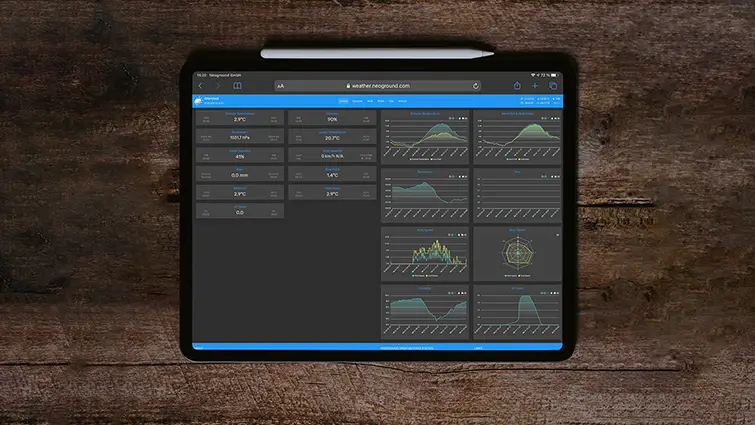
Yes, it can operate alongside a weather station and add a visual record of cloud, light, and sky conditions. The current project should not be assumed to provide a ready-made integration with every weather-station platform or database. Combining images with measured station data may require separate configuration or development.
Is InfinitySky suitable for scientific observations?
It can provide a useful experimental or educational observation record, but the public project does not by itself establish calibrated scientific accuracy. Scientific use requires appropriate optics, sensor calibration, timestamps, environmental control, metadata, repeatability, data preservation, and independent validation for the intended method.
How should I update an existing installation?
Preserve config/user.json, the complete media archive, local code changes, web-server configuration, and service files before updating. Review repository changes before applying them. Because the project remains early, an update may include changed dependencies, configuration structure, paths, templates, or processing behavior.
How can I report a problem?
Use the GitHub issue tracker for reproducible bugs and compatibility reports. Include the Raspberry Pi model, camera module, operating system, Python and PHP versions, installation method, relevant configuration, logs, service status, and example output needed to understand the problem. Remove credentials, private hostnames, location information, and other sensitive values before publishing logs or configuration.
How can I contribute?
Contributions can improve camera compatibility, installation reliability, processing, configuration, the web interface, documentation, testing, migration behavior, and hardware guidance. Open a focused issue or pull request based on the current repository and keep changes compatible with the project license and documented architecture.
What license does InfinitySky use?
InfinitySky is released under the MIT License. Review the repository license and the separate licenses of PHP packages, JavaScript libraries, camera tools, FFmpeg, ImageMagick, system packages, and other dependencies used by the installation.