Maintained Maintained by Neoground

Open-source project · Interface

NeoWX Material

An established open-source WeeWX skin that presents current conditions, historical observations, archives, and station telemetry through a modern, responsive Material Design interface.

  • WeeWX
  • HTML
  • SCSS
  • JavaScript
Latest release
v1.11
License
MIT
Built for
WeeWX v4+
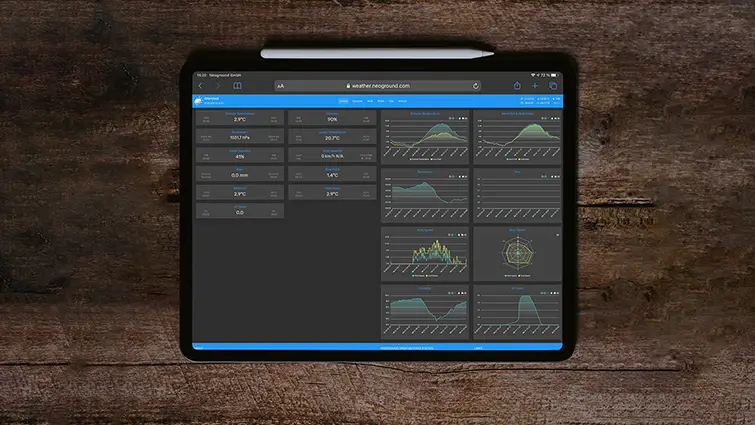
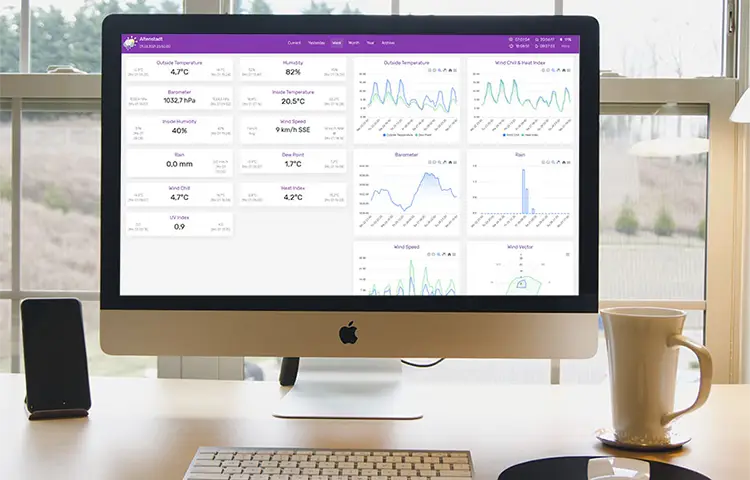
NeoWX Material weather-station dashboard with current observations, charts, navigation, and station details
v1.11 Established open-source Material Design skin for WeeWX

A modern public face for WeeWX

Give your weather station a clearer, more capable interface.

NeoWX Material is a mature open-source skin for WeeWX users who want more than the standard report without replacing the reliable station software underneath. It turns current conditions, trends, records, archives, wind, astronomy, and technical station data into a coherent interface for desktop, mobile, and dedicated displays.

What it solves
Provide a configurable, self-hosted presentation layer for WeeWX weather data and generated reports.
Where it fits
Personal and community weather stations, public station websites, technical observation projects, multilingual reports, and always-on weather displays.

Core capabilities

Designed around the work the project needs to perform.

01 · Current conditions without the clutter

See the station state, daily range, and relevant observations in one coherent overview.

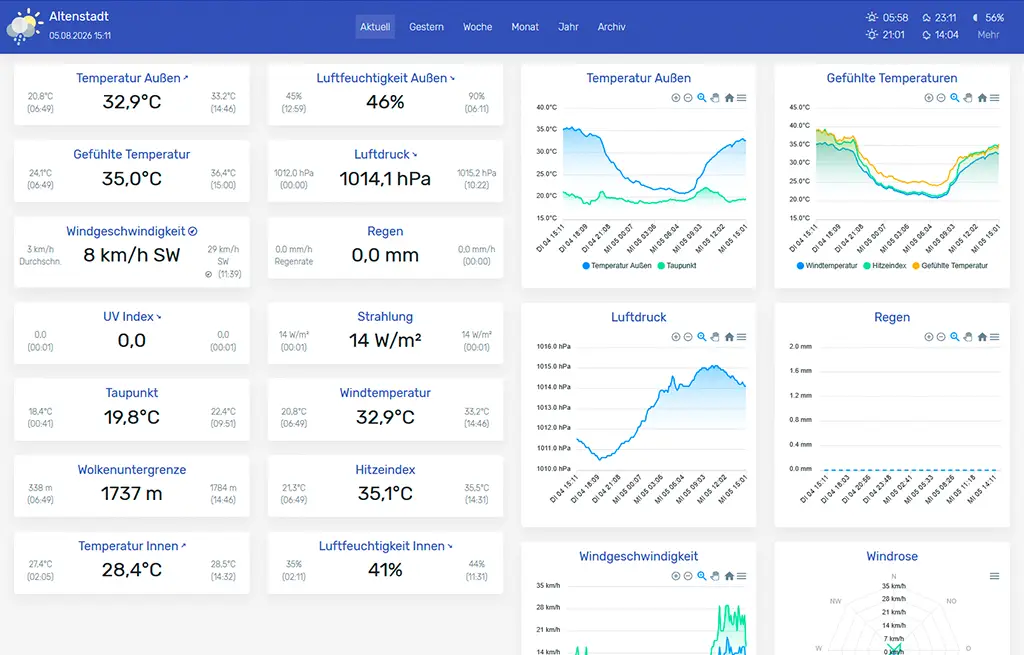
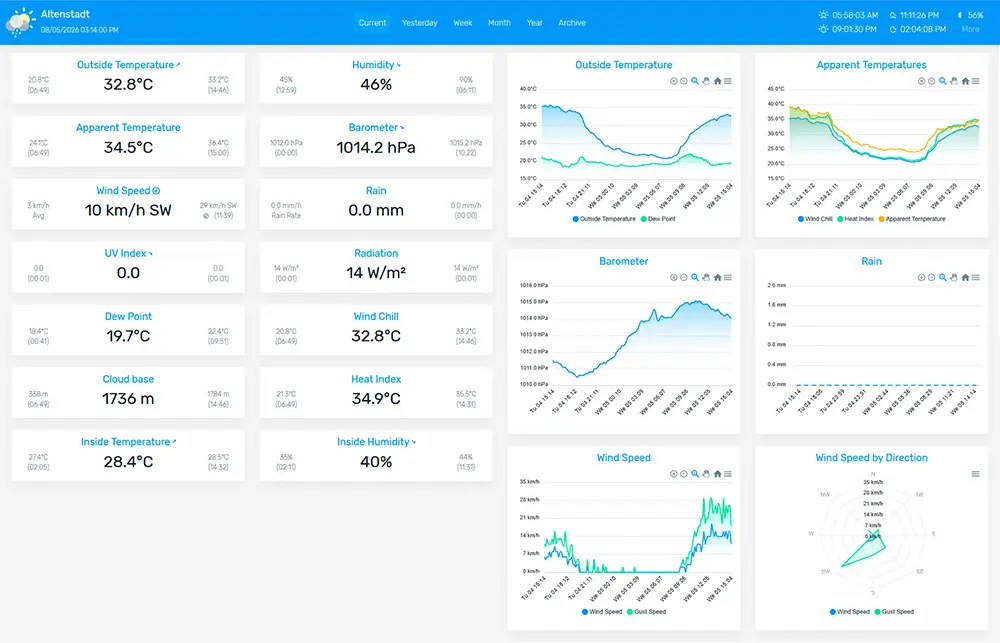
The primary dashboard gives live values a clear hierarchy while preserving the depth weather-station owners expect. Current readings, daily highs and lows, wind, rain, radiation, humidity, apparent temperatures, and supported additional observations remain close at hand.

NeoWX Material current conditions dashboard with observation cards and weather charts
02 · Interactive historical data

Move from the current reading into the trend behind it.

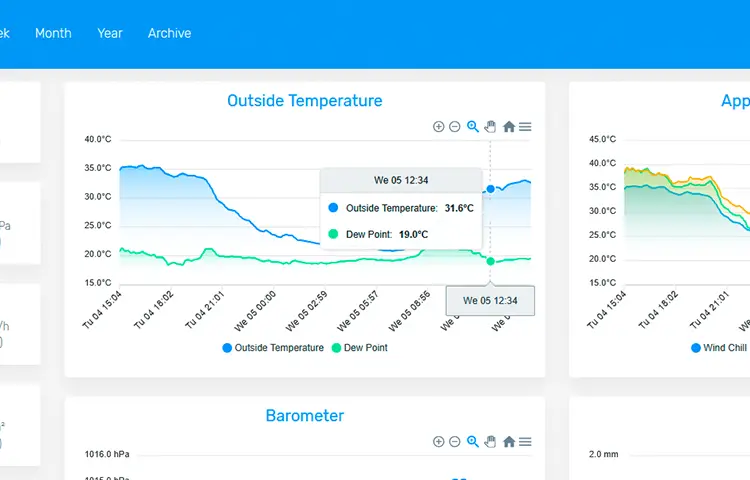
Responsive, interactive charts let visitors inspect individual observations, zoom into a time range, and export supported chart data or visuals as CSV, PNG, or SVG. Archive views keep daily, monthly, and annual context connected to the station.

NeoWX Material historical weather charts with interactive values and timeline controls
03 · From wall display to phone

Use the same station across a Full HD dashboard and responsive everyday screens.

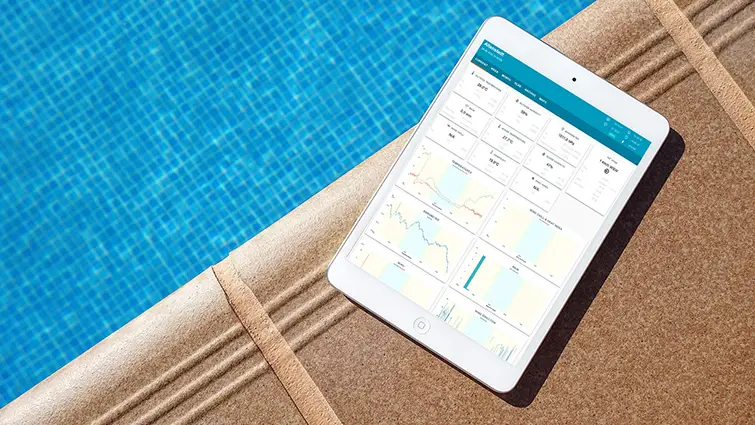
A specialized large-screen view places the current weather state on one display, while the responsive web interface remains usable on desktops, tablets, and phones. The generated site can also be added to a supported mobile home screen for app-like access.

NeoWX Material shown on a Full HD weather display, tablet, and mobile phone

Additional capabilities

A practical foundation with useful depth.

01

Nineteen color themes

Choose from a broad Material-inspired theme set, combine it with automatic light and dark presentation, and adjust further appearance settings through skin.conf.

02

Responsive station web app

Keep current conditions and archives usable across desktop, tablet, and mobile layouts, with home-screen installation available through supported browsers.

03

Dedicated Full HD dashboard

Place the complete current weather state on a large local display without stretching the normal mobile or desktop layout beyond its purpose.

04

Interactive and exportable charts

Inspect observations directly, zoom into the timeline, and export supported chart data or graphics as CSV, PNG, or SVG.

05

Annual, monthly, and NOAA archives

Navigate generated HTML archive pages and familiar NOAA-style text summaries across the available station history.

06

Multilingual reports

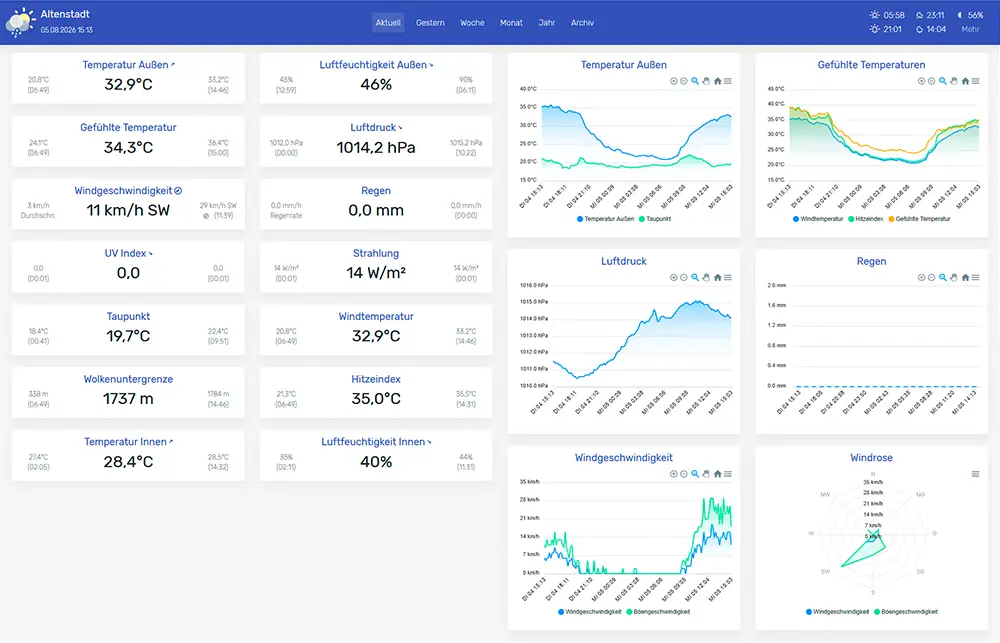
Use the included translation structure for English, German, Catalan, Spanish, Finnish, French, Italian, or a station-specific translation of your own.

07

Almanac and astronomy

Add sky and almanac context when the optional ephemeris dependency is available on the WeeWX host.

08

Wind rose and station telemetry

Present wind direction and speed visually while keeping available battery state, voltage, signal quality, and other sensor telemetry accessible.

09

Self-hosted and privacy-conscious

Fonts, libraries, and third-party assets are bundled locally, so the skin does not require an external CDN or tracking service to render its generated reports.

See it in context

Explore NeoWX Material on a real WeeWX station.

The Neoground weather station publishes the same underlying observations through English and German report configurations. Use the public pages to inspect current conditions, historical views, archives, navigation, telemetry, and the responsive interface.

Documentation

Install the skin, understand the structure, and make it your own.

The documentation covers extension and manual installation, cleanup after changing skins, general options, appearance, charts, translations, multiple reports, upgrades, troubleshooting, and the source build process. Start with the quick-start guide, then review the configuration sections relevant to your station.

Screenshots

The project in use.

Current release

Install the latest published NeoWX Material release.

Version 1.11 is the current stable public release. Review the documentation and repository issues for your WeeWX environment, back up an existing skin and skin.conf before upgrading, and regenerate reports or archives where the installation guide recommends it.

Version
v1.11
Released
Requirements
WeeWX v4+

Support open work

Support a practical open-source interface for the WeeWX community.

NeoWX Material is free to use, inspect, adapt, and improve. Contributions can take many forms: report a reproducible issue, test compatibility, improve a translation, refine documentation, submit a focused pull request, or support Neoground's open-source work financially. That help makes it easier to preserve useful projects, review community changes, and keep the public documentation available.

Project questions

Before you adopt or contribute.

What exactly is NeoWX Material?

NeoWX Material is an MIT-licensed presentation skin for WeeWX. It does not replace WeeWX, the station driver, or the archive database. It changes how generated weather reports, charts, archives, and supported station details are presented to visitors.

Is NeoWX Material still a good choice for a new station website?

It remains a capable public option for WeeWX users who want its Material-based design, responsive layouts, interactive charts, archives, themes, and broad configuration. It is an established and mature skin rather than Neoground's newest interface work, so review the current repository, documentation, and known issues before choosing it for a new or heavily customized installation.

Which WeeWX versions are supported?

Compatibility depends on the WeeWX installation, report configuration, Python environment, and local customizations. Use the latest public NeoWX Material release, review the current documentation and repository issues, and test the skin against a backup before replacing an existing report.

How do I install or remove the skin?

Use the WeeWX extension workflow described in the quick-start guide, set the report skin to neowx-material in weewx.conf, and restart WeeWX. The same guide covers cleanup after changing skins and removal through wee_extension.

Can NeoWX Material show a weather forecast?

The skin does not create a forecast by itself. Forecast data must come from a separate source and requires an additional integration appropriate to that provider and the WeeWX installation.

Can I add the station to an Android or iOS home screen?

Yes. Open the generated station website in a supported browser and use the platform action for adding the site to the home screen. The exact wording and capabilities depend on the browser and operating system.

Where are battery state, signal quality, and sensor voltage shown?

Available station telemetry can be exposed through the telemetry view. The exact values depend on what the station hardware, driver, database schema, and WeeWX report provide.

How do translations work?

Select an included skin language in skin.conf and adapt the translated text values where needed. WeeWX's own observation labels and units may also need localization in weewx.conf. The documentation explains both layers and how to run multiple language-specific reports.

Why do generated graph images sometimes miss labels or scales?

WeeWX-generated graph labels depend on fonts available on the host and the paths configured for the image generator. Verify the configured font files and replace missing paths with fonts installed on the system.

Will an update preserve my custom changes?

Do not assume it will. Installing or replacing the skin can overwrite templates, assets, and skin.conf changes. Back up the current skin directory and configuration, compare the new release, and reapply local adaptations deliberately.

How can I contribute or ask for help?

Use the GitHub repository for reproducible bugs, compatibility notes, documentation improvements, translations, and pull requests. Include the WeeWX version, Python environment, installation method, relevant configuration, and logs or screenshots needed to understand the issue. Direct project support is provided as capacity allows.

What license does NeoWX Material use?

NeoWX Material is released under the MIT License. Review the repository license and the licenses of bundled third-party components before redistributing a modified package.