Archived

Open-source project · Interface

NeoWX

The original responsive Neoground skin for WeeWX, combining a compact current-conditions dashboard, large generated graphs, weather iconography, mobile layouts, and classic meteorological reports. NeoWX reached its final release with version 1.2 and has been superseded by NeoWX Material.

  • WeeWX
  • HTML
  • CSS
Latest release
v1.2
License
MIT
Built for
WeeWX v3
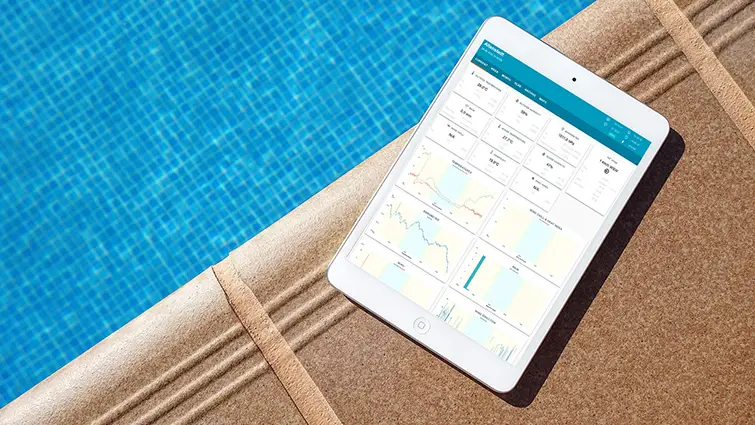
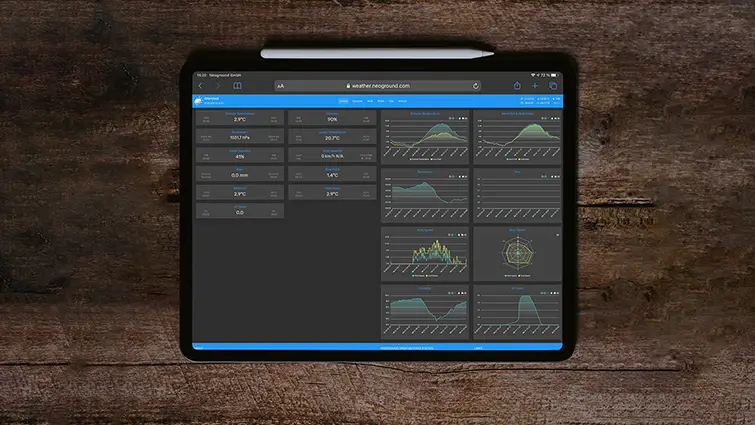
NeoWX weather-station interface with current conditions, large graphs, weather icons, and responsive navigation
v1.2 Final open-source release of the original responsive WeeWX skin

The original Neoground skin for WeeWX

A responsive weather interface preserved for existing installations.

NeoWX brought a cleaner, more visual presentation to an earlier generation of WeeWX station websites. Based on the established SofaSkin project, it combines current observations, large generated charts, weather and astronomy icons, mobile-friendly layouts, and familiar meteorological summaries in one compact skin. The project is no longer maintained and should primarily be considered for existing or legacy installations that already depend on its design. New station websites should normally begin with its successor, NeoWX Material.

What it solves
Provide a configurable and responsive presentation layer for current WeeWX observations, generated graphs, almanac data, and standard station reports.
Where it fits
Existing NeoWX deployments, older WeeWX installations, personal and community weather stations, and users preserving a familiar station website rather than beginning a new interface project.

Core capabilities

Designed around the work the project needs to perform.

01 · Responsive from the beginning

Keep the station accessible across desktop, tablet, and mobile screens.

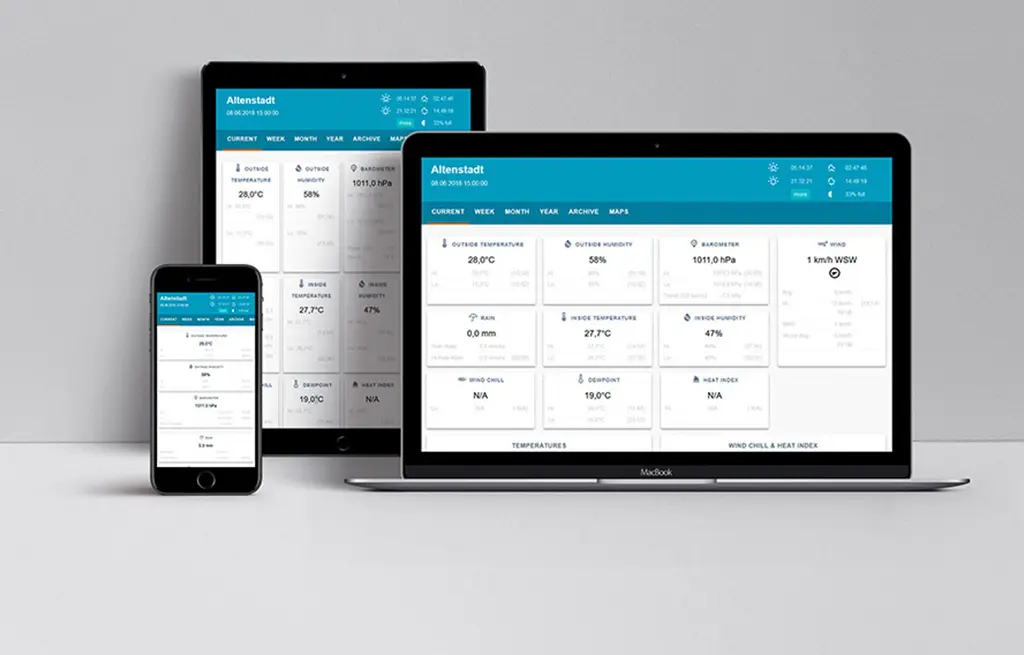
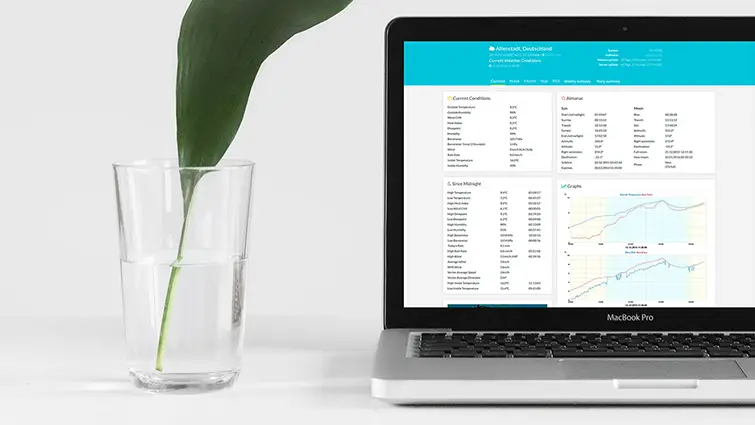
NeoWX adapts its current-conditions dashboard and supporting pages across different display sizes. Visitors can inspect the station from a computer, tablet, or phone without requiring a separate mobile-only report.

NeoWX weather-station dashboard shown across desktop, tablet, and mobile screens
02 · Visual station detail

Large graphs, weather symbols, wind direction, and moon phases.

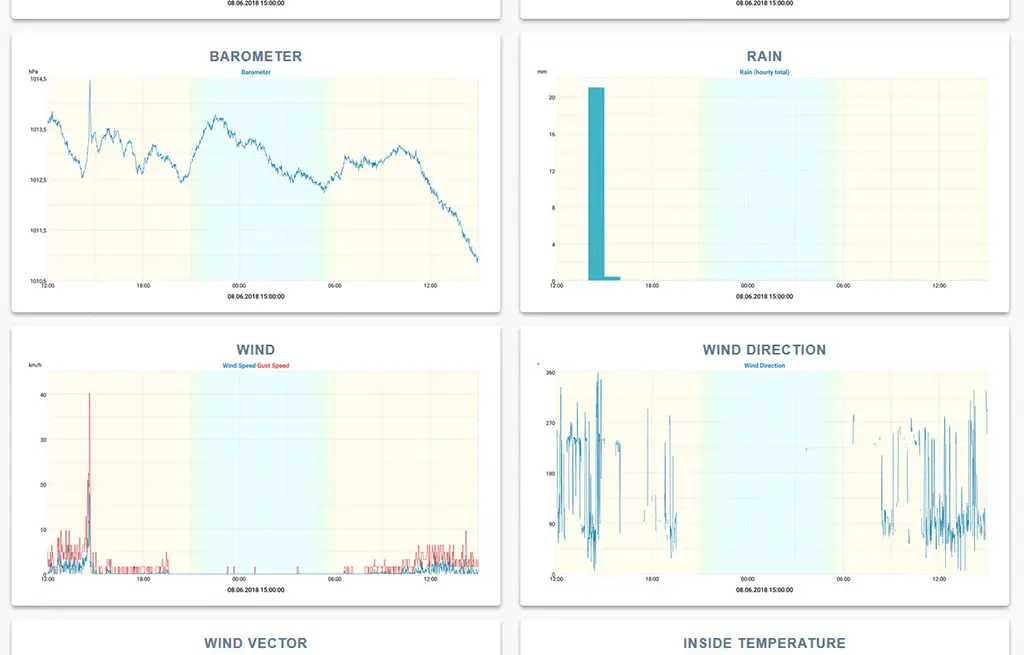
The skin gives generated weather charts more visual space and combines them with recognizable weather iconography. Wind direction, moon phases, current observations, and supporting station information are presented as parts of one consistent interface.

NeoWX weather graphics with a large historical chart, wind direction, weather icons, and moon phase
03 · Current conditions at a glance

Bring the principal weather state together on one dashboard.

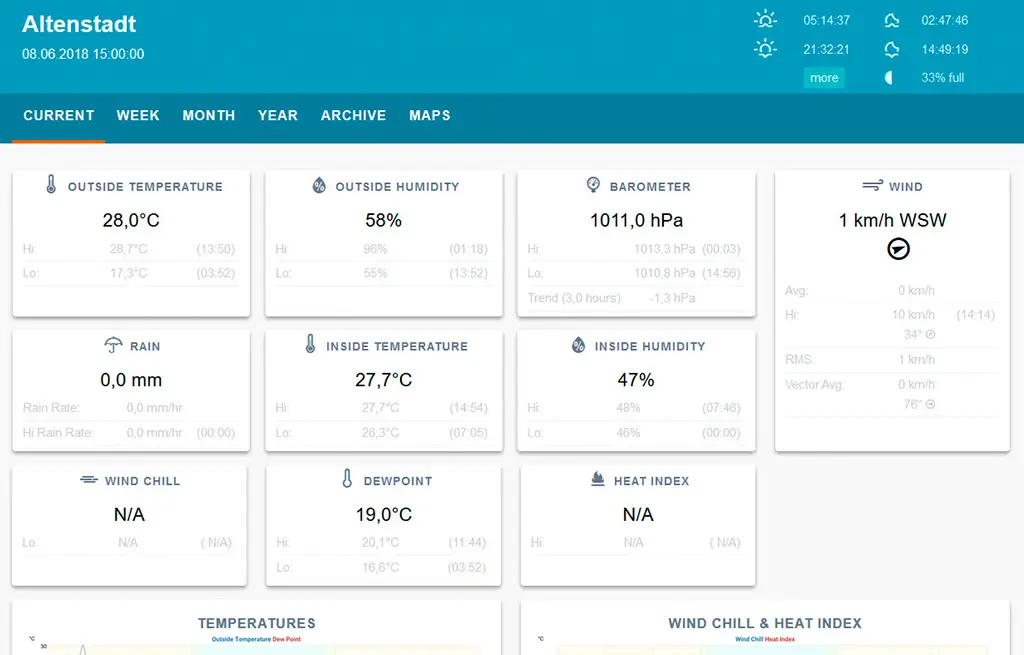
The main page places the most relevant current observations in one overview so visitors can understand the local conditions before moving into charts, almanac information, and generated summaries.

NeoWX current-conditions dashboard with observations and weather status arranged on one screen

Additional capabilities

A practical foundation with useful depth.

01

Responsive dashboard

Present current station values through a layout designed to remain usable across conventional desktop and compact mobile screens.

02

Large generated graphs

Use spacious WeeWX-generated charts with configurable fonts for clearer historical trends, scales, and observation labels.

03

Weather and astronomy icons

Add visual context for weather conditions, wind direction, and moon phases without replacing the underlying WeeWX report data.

04

Current conditions overview

Place the principal station readings together on one page before visitors continue into graphs and supporting information.

05

Home-screen access

Add the generated station website to supported Android or iOS home screens for convenient app-like access.

06

Appearance customization

Adjust colors, fonts, translated text, and parts of the general presentation through the skin configuration and templates.

07

Classic meteorological summaries

Continue generating the familiar standardized weather summaries associated with a conventional WeeWX station report.

08

Configurable translations

Adapt interface text through the translation values in skin.conf, with observation labels and graph terminology handled through the relevant WeeWX configuration where necessary.

09

Extended almanac support

Expose additional astronomical information when the required ephemeris dependency is installed on the WeeWX host.

Screenshots

The project in use.

Current release

Download the final NeoWX release.

Version 1.2 is the final release of NeoWX. The project is no longer maintained, so back up the existing skin directory and configuration before installing or changing it, and test compatibility with the specific WeeWX and Python environment. NeoWX remains available for existing installations and historical use. For a new station website, review NeoWX Material before choosing this older skin.

Version
v1.2
Released
Requirements
WeeWX v3

Support open work

Support the preservation of practical open-source work.

NeoWX is a completed historical project rather than an actively developed product. Support for Neoground's open-source work helps keep releases, repositories, project information, and useful community resources available while enabling continued investment in newer open-source software. You can also help by documenting a working legacy installation, answering another user's question, preserving compatibility knowledge, or maintaining a community fork.

Project questions

Before you adopt or contribute.

What exactly is NeoWX?

NeoWX is an open-source presentation skin for WeeWX. It is based on the earlier SofaSkin project and changes how current observations, generated graphs, almanac information, and standard reports are presented. It does not replace WeeWX, the station driver, or the weather database.

Is NeoWX still maintained?

No. Version 1.2 is the final NeoWX release. The source and release remain available for existing installations, preservation, and community adaptation, but Neoground does not provide continued compatibility development for the skin.

Should I use NeoWX for a new weather-station website?

NeoWX is most appropriate when an existing station already uses the skin or when preserving its particular interface is important. For a new installation, NeoWX Material provides the newer public Neoground skin with a broader interface system, interactive charts, additional views, themes, archives, and more extensive configuration.

Which WeeWX versions are supported?

NeoWX was developed for older generations of WeeWX and no longer receives compatibility updates. Its behavior on a current WeeWX, Python, operating-system, driver, or report configuration is not guaranteed. Test it against a backup and avoid replacing a working report without a recovery path.

How do I install NeoWX?

Download the packaged release to the system running WeeWX and install it through the WeeWX extension utility. Set the selected report skin to neowx in the StdReport section of weewx.conf, restart WeeWX, and allow enough time for the configured reports to regenerate.

How do I remove NeoWX?

Change the affected report to another skin and use the WeeWX extension utility to uninstall NeoWX. A manual installation can instead be removed by deleting the NeoWX skin directory after confirming that no active report still references it.

Does NeoWX still include the former information banner?

No. The information-banner option is no longer part of the final NeoWX package. References in older material or installations should be treated as historical. Adding a comparable banner now requires a local template customization, which remains the responsibility of the station operator.

Can NeoWX provide a weather forecast?

NeoWX does not generate forecast data. A forecast requires a separate external source and a custom integration appropriate to the provider, installation, and desired presentation.

Why is the almanac very limited?

The extended almanac depends on the ephemeris module expected by the installation. Without that dependency, WeeWX can provide only a more limited set of astronomical data.

Can I add the station to an Android or iOS home screen?

Yes. Open the generated station site in a supported browser and use the platform action for adding the page to the home screen. Exact behavior depends on the browser and operating system.

Why are graph labels, text, or scales missing?

The WeeWX image generator depends on fonts installed on the host. NeoWX expects Roboto font files through paths configured in the ImageGenerator section of skin.conf. Verify that the fonts exist and adjust the configured paths or font selection where necessary.

How do I translate NeoWX?

Adapt the text values in the translation section of skin.conf. Observation labels, units, and some generated graph text may also require changes in weewx.conf. Regenerate the affected reports after changing the configuration.

Will reinstalling NeoWX preserve local changes?

Do not assume it will. Back up the current skin directory, skin.conf, and any modified templates or assets before reinstalling the final package. Compare the files and reapply local adaptations deliberately.

Can I still report issues or contribute changes?

The GitHub repository remains available for source inspection, existing discussions, forks, and community work. Because the project is no longer maintained by Neoground, new fixes or compatibility work may need to live in a community fork rather than becoming an official NeoWX release.

What license does NeoWX use?

NeoWX is released under the MIT License. The project is based on SofaSkin and also uses third-party weather icon resources. Review the repository license and the licensing information of bundled components before redistributing a modified package.