Archived

Open-source project · Interface

SofaSkin

Neoground’s original responsive skin for WeeWX: a compact, open-source presentation layer preserved for legacy installations, historical reference, and community-maintained derivatives.

  • WeeWX
  • HTML
  • CSS
Latest release
v1.1
License
MIT
Built for
WeeWX v3
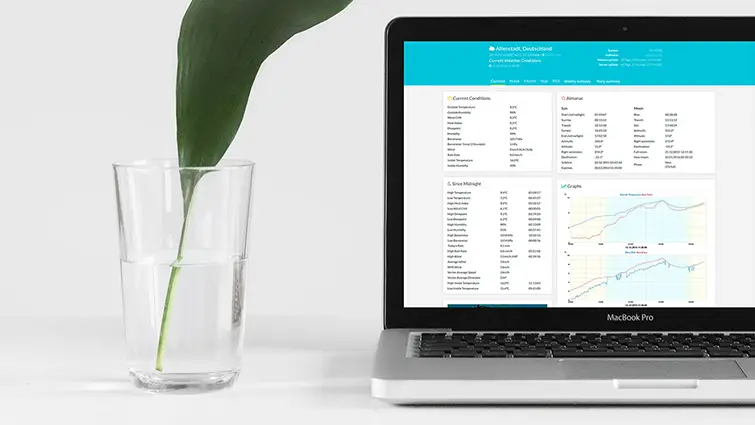
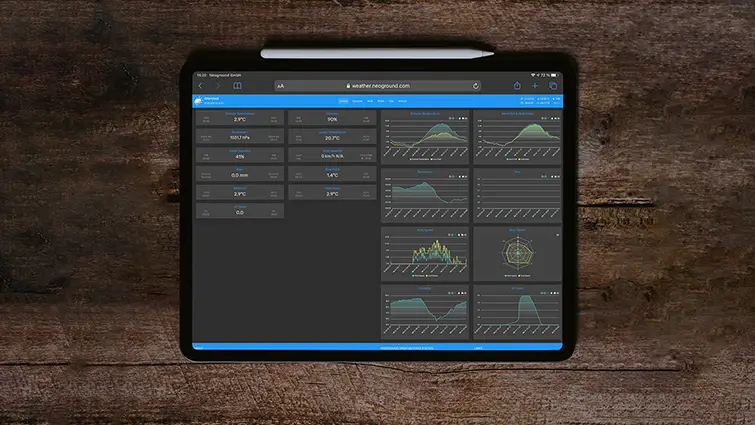
SofaSkin weather-station interface with current observations, generated weather graphs, and responsive report navigation
v1.1 Archived first-generation responsive skin for WeeWX

Where our WeeWX interface work began

The original Neoground weather-station skin, preserved as part of its history.

SofaSkin was Neoground’s first public skin for WeeWX. Released in 2017, it gave the familiar generated weather report a cleaner, responsive interface while retaining the observations, graphs, summaries, and dependable report model already provided by WeeWX. The project has reached the end of its lifecycle and is no longer maintained. It remains available for existing installations, historical reference, and users preserving a customized SofaSkin deployment. New weather-station websites should use a newer skin.

What it solves
Preserve a simple responsive presentation layer for older WeeWX reports and the installations that still depend on it.
Where it fits
Existing SofaSkin stations, legacy WeeWX environments, archived weather websites, community forks, and developers researching the early Neoground weather-interface lineage.

Core capabilities

Designed around the work the project needs to perform.

01 · A responsive step beyond the default report

Present familiar WeeWX information through a cleaner web layout.

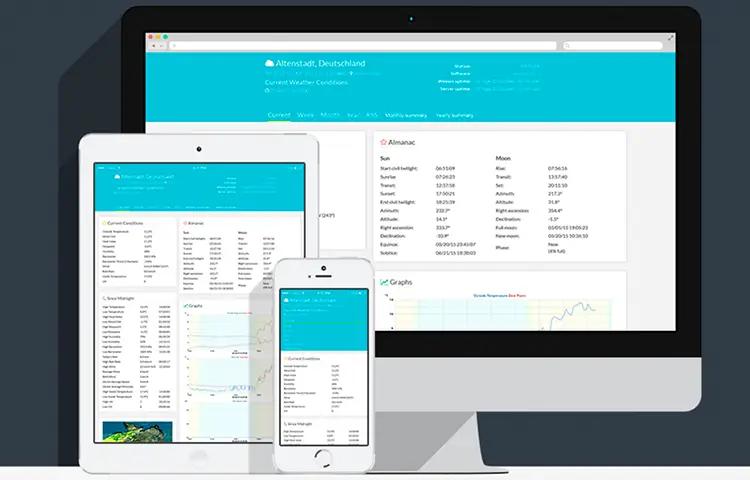
SofaSkin reorganized the standard weather-station report into a compact responsive interface that could remain usable across desktop and smaller screens without replacing the underlying WeeWX data or generation process.

SofaSkin weather report shown across desktop, tablet, and mobile screen sizes
02 · Familiar station data

Keep current observations, generated graphs, and historical reports together.

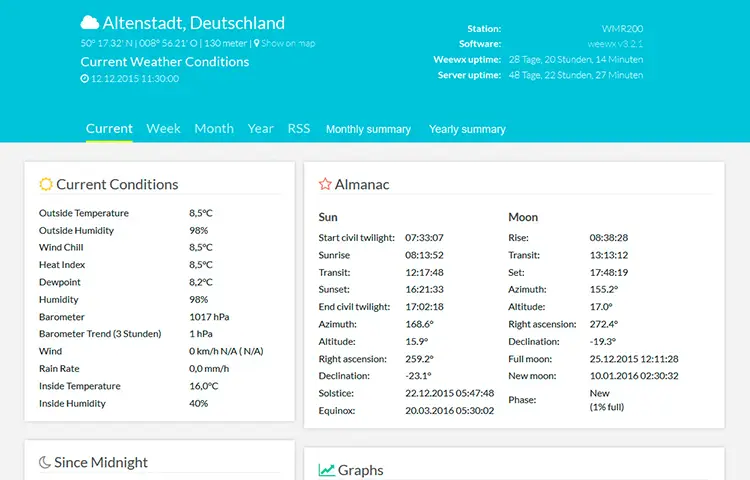
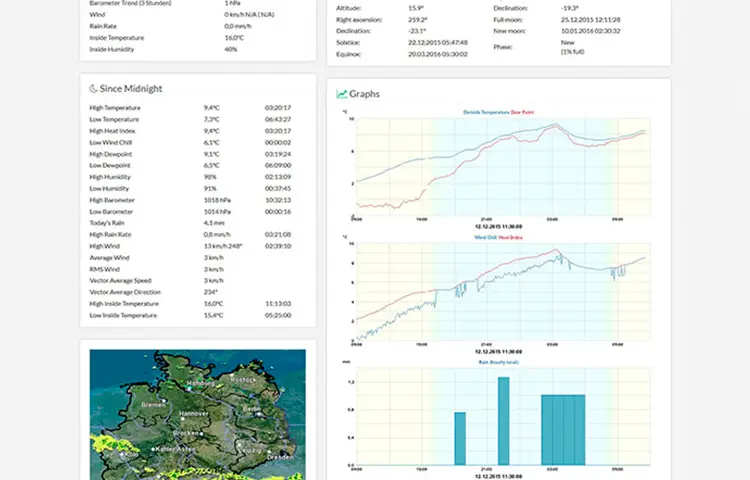
The skin builds on the established WeeWX report model, presenting current weather conditions alongside generated charts and familiar historical summaries rather than introducing a separate live-data application.

SofaSkin current conditions page with generated weather charts and report navigation
03 · Preserved for the community

Retain access to the final release and the source that inspired later forks.

SofaSkin became the basis for community adaptations and for Neoground’s later NeoWX work. The archived project remains useful for inspecting an existing installation, recovering a customized report, or understanding that progression.

Archived SofaSkin source files connected to community forks and later Neoground weather interfaces

Additional capabilities

A practical foundation with useful depth.

01

Responsive report layout

Adapt the generated station pages to desktop and compact screen sizes through the original SofaSkin responsive structure.

02

Current conditions overview

Present the principal observations produced by the configured WeeWX station in one concise report interface.

03

Generated weather graphs

Display the historical chart images produced by WeeWX alongside the current station state.

04

Familiar report structure

Preserve the conventional WeeWX approach to generated pages, historical periods, units, observations, and summaries.

05

Local customization

Existing installations can continue to adapt templates, styles, labels, station details, and report configuration directly in the archived skin files.

06

Community derivatives

Several independent forks and customized variants extended the original design. These projects may contain additional features, but they are maintained separately from Neoground’s archived release.

Screenshots

The project in use.

Current release

Preserve or inspect the final SofaSkin release.

Version 1.1 is the final Neoground release. SofaSkin was created for an older generation of WeeWX and no longer receives compatibility, security, installation, or documentation updates. Back up the existing skin, report configuration, generated output, and any local modifications before reinstalling or changing a working deployment. The archive is provided for legacy use and historical reference rather than as a recommendation for a new station website.

Version
v1.1
Released
Requirements
WeeWX v3

Support open work

Support the open-source work that followed SofaSkin.

SofaSkin is a completed archival project. Financial support does not fund new SofaSkin releases, but it helps Neoground preserve public repositories, project history, releases, and other useful open-source resources while investing in newer software. The community can also help by preserving compatibility knowledge, documenting working legacy configurations, maintaining independent forks, and directing new users toward a more suitable current skin.

Project questions

Before you adopt or contribute.

What exactly is SofaSkin?

SofaSkin is Neoground’s original presentation skin for WeeWX. It changes how the generated station pages, observations, graphs, and reports are presented. It does not replace WeeWX, the station driver, the archive database, or the report-generation system.

Is SofaSkin still maintained?

No. Version 1.1 is the final Neoground release. The project is preserved for legacy installations and historical reference, but it does not receive new features, compatibility fixes, security reviews, or direct technical support.

Should I use SofaSkin for a new weather-station website?

Normally, no. SofaSkin is most appropriate when an existing station already depends on it or when preserving a customized legacy report is important. NeoWX Material is the newer public Neoground option for a more capable weather-station interface.

Which WeeWX versions are supported?

SofaSkin was built for older WeeWX environments. Compatibility with current WeeWX, Python, operating-system, driver, and report configurations is not guaranteed. Treat any installation on a modern system as a legacy migration and test it against a complete backup.

How is SofaSkin installed?

Historical installations generally place the extracted skin files inside the WeeWX skin directory and configure a report to use that skin. Exact directories and report syntax vary between WeeWX installation methods and versions. Review the current WeeWX documentation for the installation in use, preserve the existing configuration, and do not replace a working report without a tested recovery path.

Why does Neoground still provide this page?

SofaSkin still appears in searches, remains installed on some weather stations, and represents the beginning of Neoground’s later NeoWX and NeoWX Material work. Keeping a concise archival page helps existing users identify the project and understand its current status.

Are community forks still available?

Yes. Independent developers created several forks and customized variants of SofaSkin. They may add newer compatibility work, historical tables, station pages, alerts, or other features. Those forks are separate projects. Their functionality, dependencies, maintenance status, security, and support are the responsibility of their respective maintainers.

Can I report a bug or request a feature?

The Neoground repository is archival and should not be treated as an active support channel. Existing repository discussions and community forks may still provide useful historical information, but no new official SofaSkin release is planned.

Will reinstalling the final release preserve my modifications?

Do not assume it will. Back up the complete skin directory, configuration, custom templates, styles, images, and generated output before reinstalling. Compare the files and reapply local changes deliberately.

How should I migrate away from SofaSkin?

Treat the replacement as a new WeeWX report rather than overwriting the existing skin immediately. Install and configure the new skin separately, compare observations, units, graphs, archives, and generated paths, then change the public destination once the replacement has been verified.

Does Neoground provide direct support for legacy SofaSkin installations?

No ongoing product support is provided for SofaSkin. A broader infrastructure, migration, or web-system engagement may be discussed separately, but maintaining or debugging the archived skin itself is not an active Neoground service.